OSCILLOSCOPE DS-5400A Series
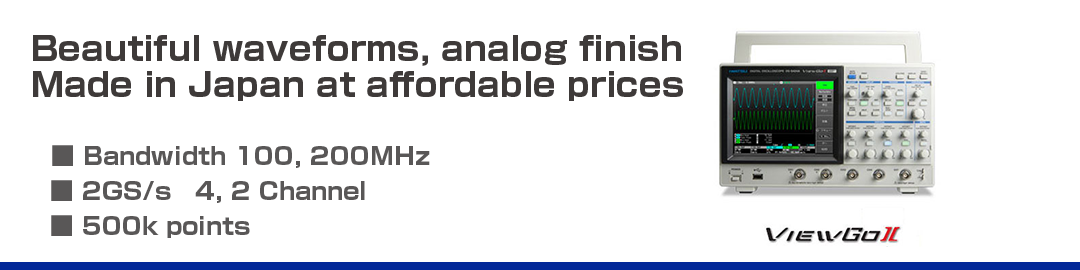
Digital Oscilloscope “ViewGo II” DS-5400A Series
- Bandwidth 100, 200MHz
- 2GS/s 4, 2 Channel
- 500k points
Added functionality from the DS-5400
- 2GS/s sampling on all models
- Supports PNG transparency attributes for hard copy output
- Supports averaging effective count display
DS-5400A Series Function Introduction
2GS/s compatible with 100MHz devices
Compatible with all models 2GS/s. The maximum sampling speed can be increased from 1GS/s to 2Gs/s by 2-channel coupling.
DS-5424A/5414A for 4-channel models
Usual:4 channels 1GS/s
→ When 2 channels are combined:2 channels 2GS/s
DS-5422A/5412A for 2-channel models
Usual:2 channels 1GS/s
→ When 2 channels are combined:1 channel 2GS/s
The PNG format of the image data storage format is compatible with transparent type
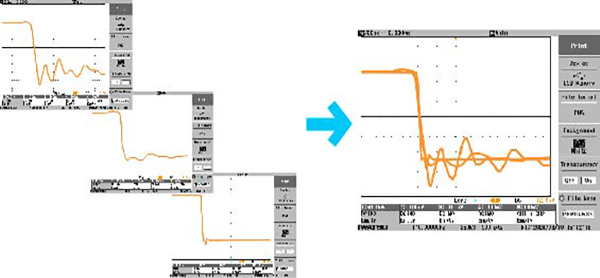
Supports the transparent attributes of PNG, you can superimpose waveforms when creating documents.
Full cycle parameter measurement*
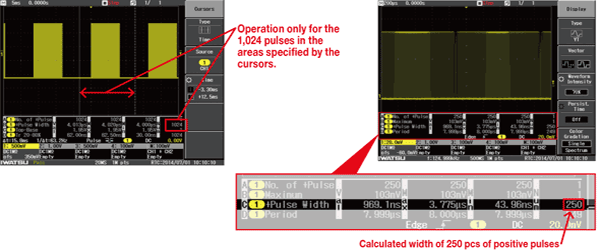
Automatically measures the waveform of the captured full cycle (time axis). A large amount of data can be captured in the long memory to determine the maximum and minimum variation widths. You can also analyze the interval that is pinched by the cursor. It can be used for measuring the smoothness of the rotation of a motor, the timing error of a mechatronics device, the fluctuation due to the load of a rotating device, the rotation fluctuation of a rotary encoder, etc.
* The waveform parameter of the vertical axis (voltage axis) displays the measured value once per sweep.
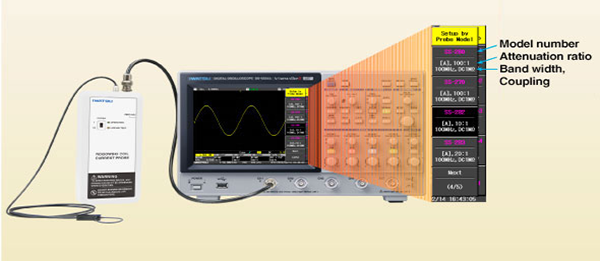
Probe selection function
When you select a model of an IWATSU ELECTRIC probe, the attenuation ratio and coupling are set automatically. The model number, vertical range bandwidth, and input coupling are displayed.
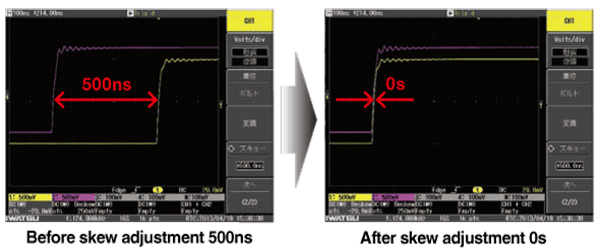
CH-to-CH skew adjustment function
The skew can be adjusted up to 500ns.*
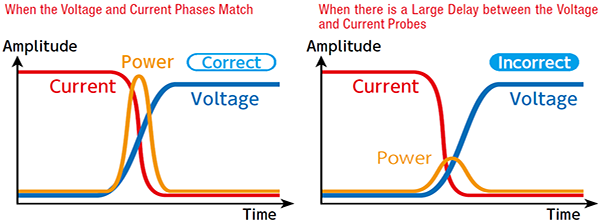
For example, the phase adjustment between the current probe and the voltage probe allows for more accurate power waveform operations.
* When the horizontal axis is set to skew priority (there is a limit to the number of waveforms in the replay function).
Clear sweep function
You can reset the measured data such as replay waveform, averaging, persistence, automatic measurement of waveform parameters, pass/fail judgment, and logging.

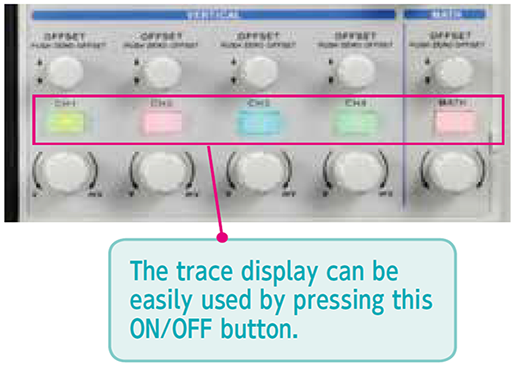
Touchscreen independent keys/knobs
The 7.5-inch color LCD is equipped with a touchscreen function for intuitive operation.
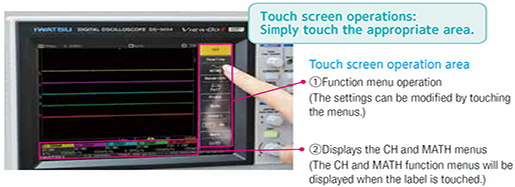
Although it is a compact size, the CH/MATH independent operation keys and knobs have been adopted to achieve one-action comfort.
Enhanced trigger capability
The trigger function is enhanced and waveforms can be triggered under optimal conditions, even in logic signals with increased complexity. Complex setting items performed by pattern triggering can also be set smoothly thanks to the operability of the touch screen.
| Trigger types | DS-5400 | DS-5500A |
|---|---|---|
| Edge ALT,Edge OR | NO | YES |
| Cycle,Pulse,Width,Dropout | YES | YES |
| Pattern | NO | YES |
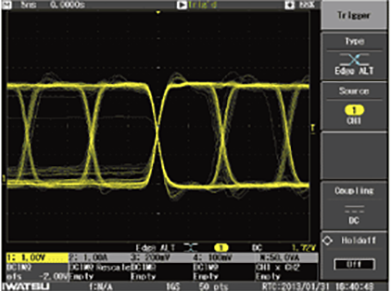
Edge ALT triggering
(Ex.: Eye pattern of SDRAM data line)
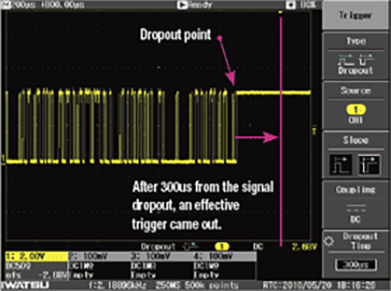
Dropout triggering
(Ex.: Detection at the part of flame end of Serial data)
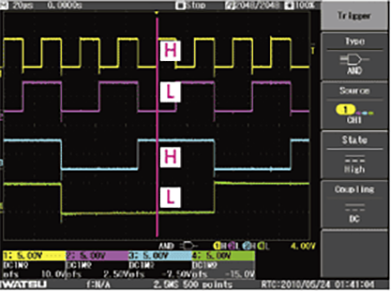
Pattern triggering
(Ex.: Logic output signal of a counter)
Peak detection function
It can reliably capture noise (minimum 1ns pulse width) in very slow signals.
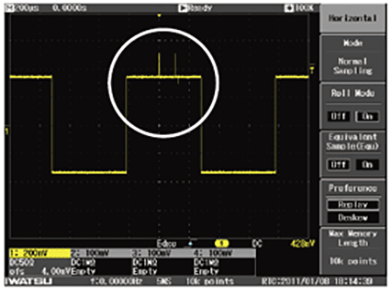
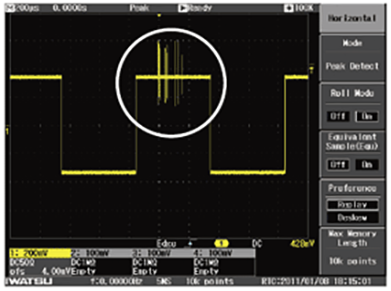
Captured at the normal sampling
(Sampling speed:5MS/s)
Peak detection is used
(Sampling speed:5MS/s)
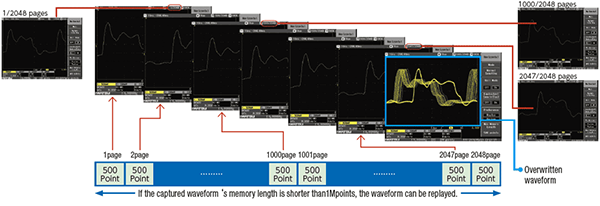
Replay function
It is a useful function to check abnormal waveforms etc. retroactively.
DS-5500A: Up to 2048 waveforms
DS-5400: Up to 1024 waveforms
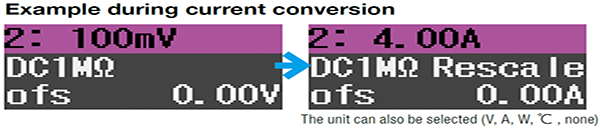
Rescale function
By measuring with current probes, shunt resistance, various sensors, etc., the obtained output voltage signal can be converted into each value and read directly.
Automatic measurement of waveform parameters
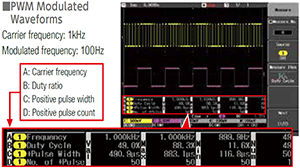
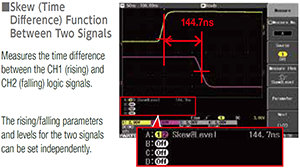
You can choose from up to four of 26 waveform parameters to display. You can also display the maximum, minimum, and number of measurements. The cursor function also supports automatic measurement of a limited range. You can further expand the range of analysis by using the judgment function and logging function.
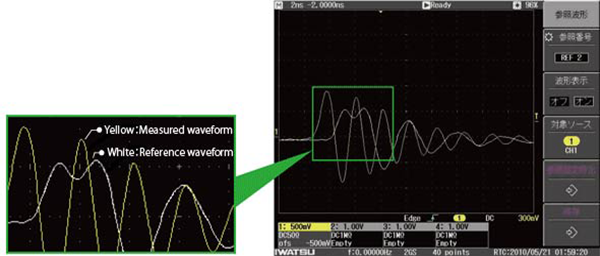
Reference function
While displaying the reference waveform on the screen, you can compare and evaluate newly acquired waveforms. Since the panel settings can be saved along with the reference waveform, it is useful for reading past measurement conditions (supports up to 5 types of storage and reading).
Repeat measurement of multiple determined measurement conditions
Comparative measurement of transient waveforms