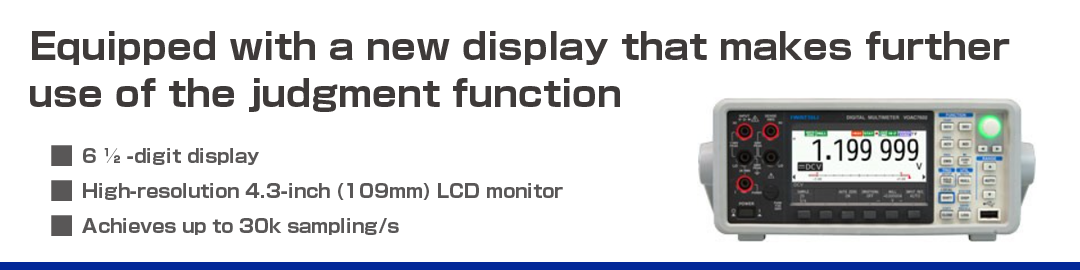
Equipped with a new display that makes further use of the judgment function Digital Multimeter VOAC760
6 ½ -digit display
High-resolution 4.3-inch (109mm) LCD monitor
Achieves up to 30k sampling/s
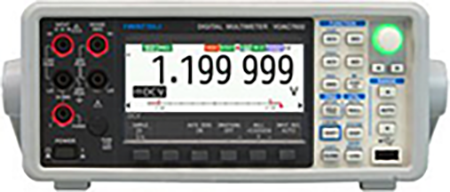
Easy-to-read large screen
High-resolution LCD monitor 4.3-inch 109mm
It is bright and has a wide viewing angle, and you can appreciate how good it is the more you use it. You can choose from two types of numeric fonts, normal (Gothic) and seven segments. In addition, you can select the background color from two modes (white or black).
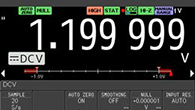
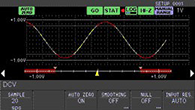
Real-time value + analog meter
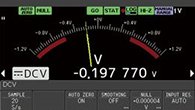
Arc scale meter + real-time value
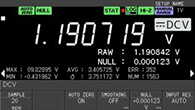
Real-time value + maximum, minimum, average
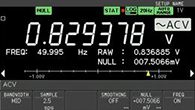
Real-time value (ACV + frequency) + analog meter
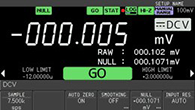
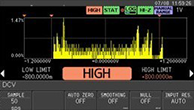
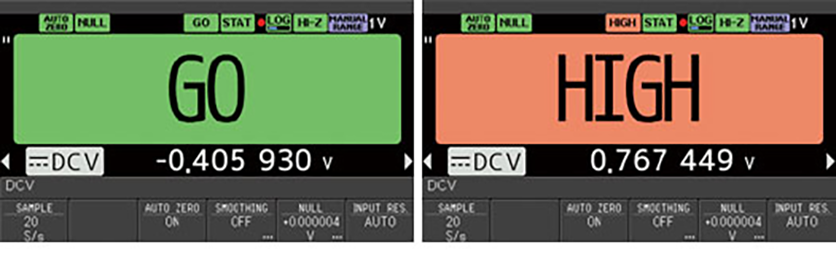
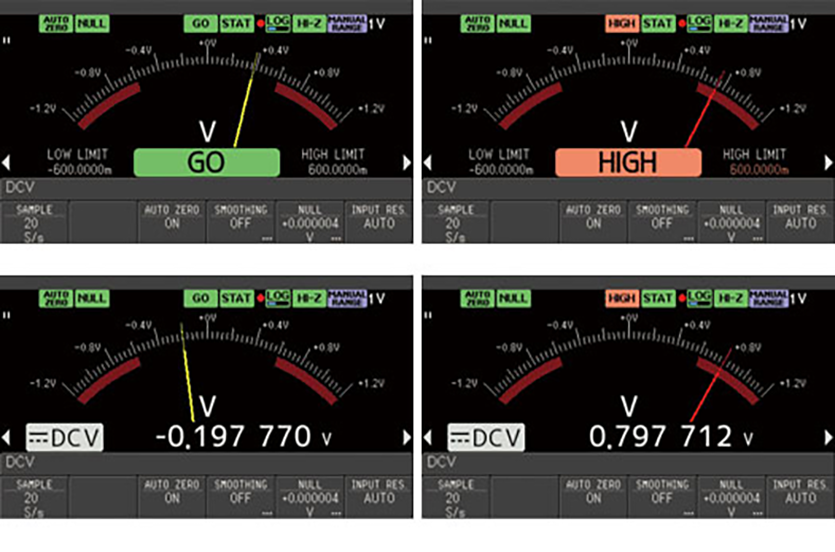
Real-time value + LIMIT judgment
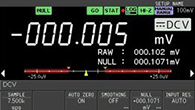
Real-time value + analog meter display + LIMIT judgment
Trend + analog meter display + LIMIT judgment
Histogram display + LIMIT judgment
Realization of various analytical display combinations without using a PC
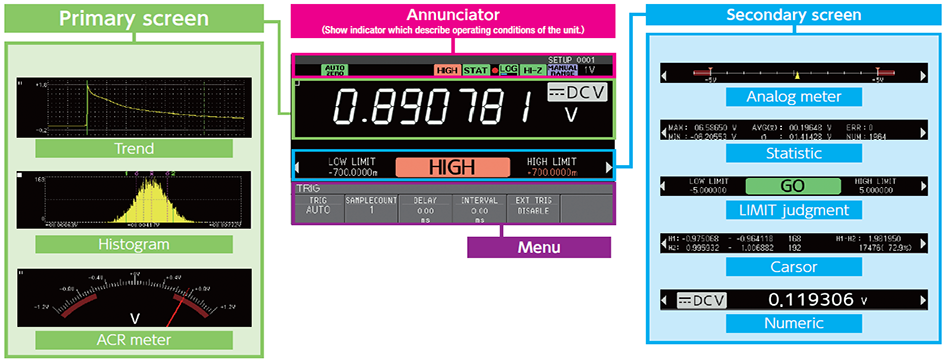
The primary display has multiple displays, such as numerical displays, trend charts, histogram charts, and arc scale meters. For each primary display, there are also many secondary displays, so various screen combinations can be selected according to measurement needs.
A new display that makes further use of the judgment function
The large display has been made easier to see.
You can also see the display from a long distance. The device is popular because adjustment work is easy and quick.
Unique needle display. Analog changes are simulated in digital.
In addition to being useful for judging approximations, it can be used in a variety of ways in conjunction with the judgment function. The color of the needle changes when the judgment criterion is exceeded.
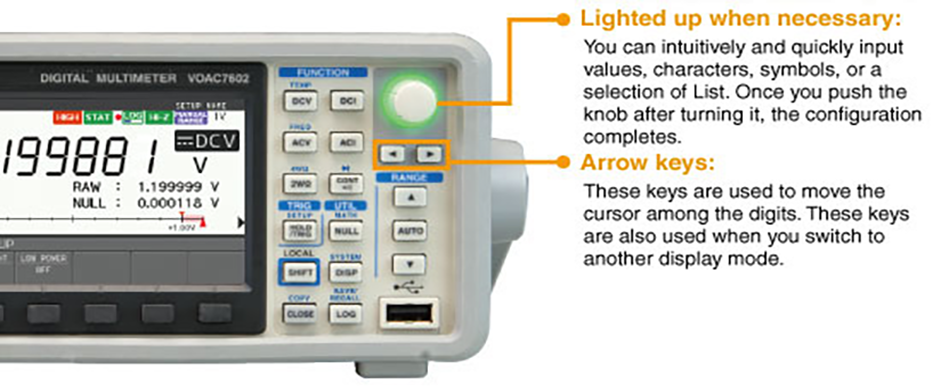
Easy to use
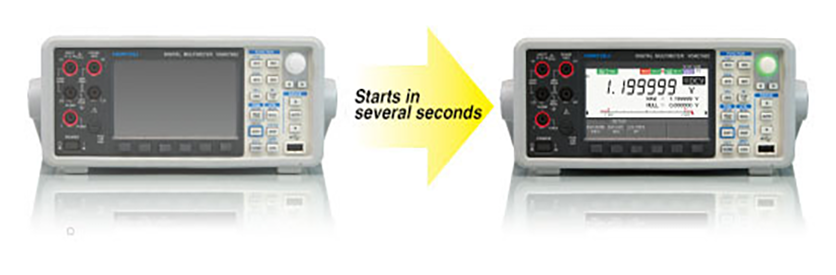
Quick Launch
The measurement can be started immediately by setting the setup information when the power is turned on.
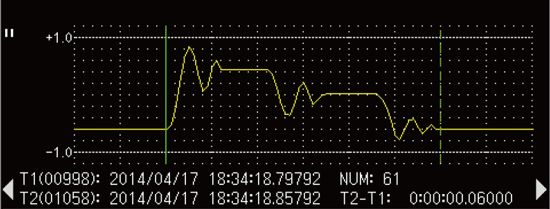
The instantaneous log memory of the screen can be saved
Screen copying can be completed in two actions. The measurement state and the measurement conditions are not related at all. You can copy the screen with two keystrokes when you need to. This function is very useful during busy measurement work without the need for troublesome settings.
(VOAC7602 only)
Large capacity 100k readings logging memory
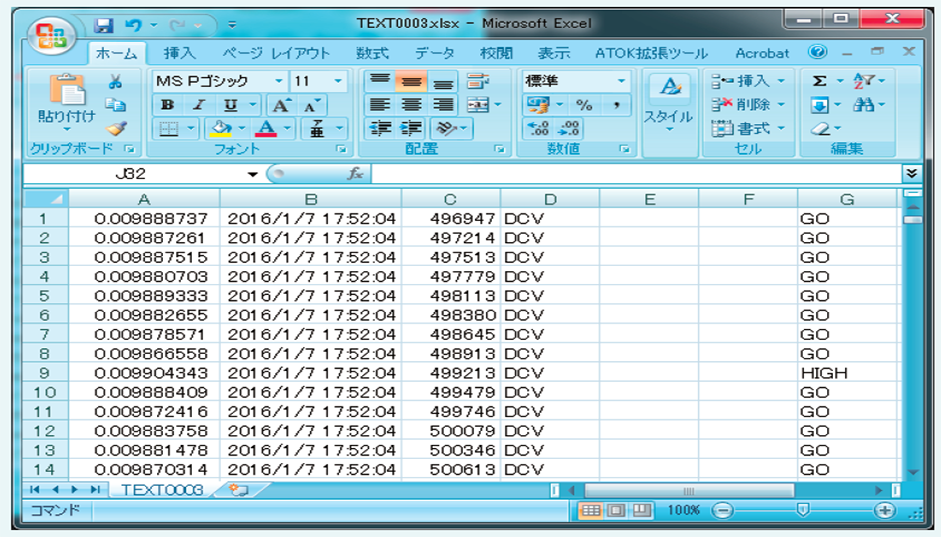
With the large memory, you can retrieve more than 24 hours of 1-second data with a timestamp. It is also always logging, so you will not forget to save data.
Logging is possible for a long time with the long memory
It has a data size of 100k points and supports long-term logging. Example) If the sampling rate is 1 time per second, you can log for more than 1 day.
Sampling rate (Sample/s)
1
4
20
100
500
1k
2k
7.5k
15k
30k
Acquisition time (Hours:Minutes:Seconds)
27:46:40
6:56:40
1:23:20
0:16:40
0:03:20
0:01:40
0:00:50
0:00:13
0:00:07
0:00:03
[Continuous write function to USB memory device] Long time logging possible
In the past, it was possible to manually save data to USB using the internal memory of the main unit, but with the new function, it is now possible to continuously save measurement data to the USB memory device while measuring.
This is useful when obtaining data for long periods of time with relatively slow measurement cycles. For example, 1S/s cycle measurements can be continued for more than 1 year.
Extending secondary statistical operations
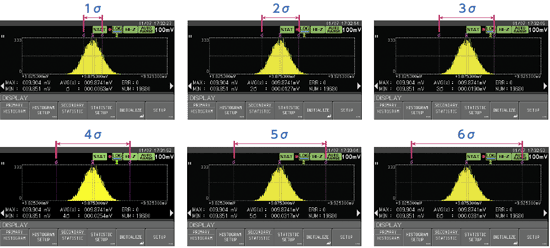
Extended from the conventional σ = 1σ to 3σ to σ = 1σ to 6σ, making it possible to distribute more widely.
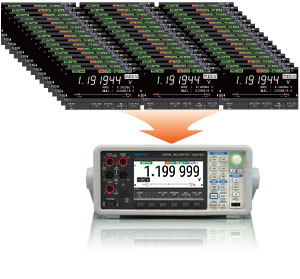
Bulk mode in acquisition-only mode 30kS/s
Bulk mode focuses on retrieving measurement data. During data acquisition, the on-screen measured data is turned off to ensure an accurate sampling rate of up to 30k samples/s. The measurement data is stored in the log memory and can be displayed in trends and histograms using the offline browsing function. You can also save the data to a USB flash drive.
Comparison of sampling rates
30k Sample/s1k Sample/s
Pre-trigger function to enable the use of log memory
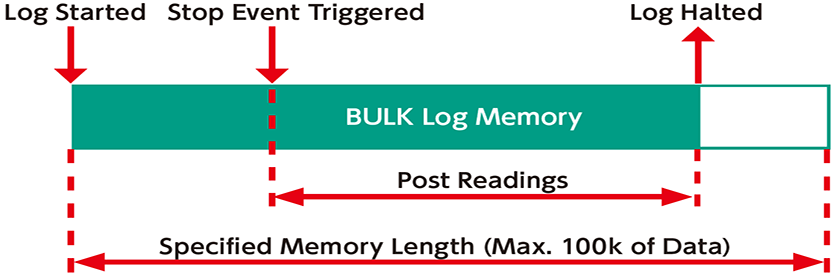
n the bulk mode of VOAC7602, capture can be stopped by setting the level of the measured value, the result of the LIMIT judgment, or an external trigger, etc. to a stop event. This makes it possible to retrieve the data before and after the event of interest in the same way as the pre-trigger in an oscilloscope. In addition, by utilizing the large capacity of 100k readings, it is possible to capture data for long periods of time with high resolution even during high-speed sampling. In addition, you can accept stop events as soon as you start logging, so that even when the sampling rate is slow, you do not have to wait for the trigger-inhibit time like an oscilloscope, and the acquisition time is minimal.
Offline histogram chart display to help you measure yield
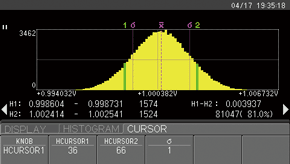
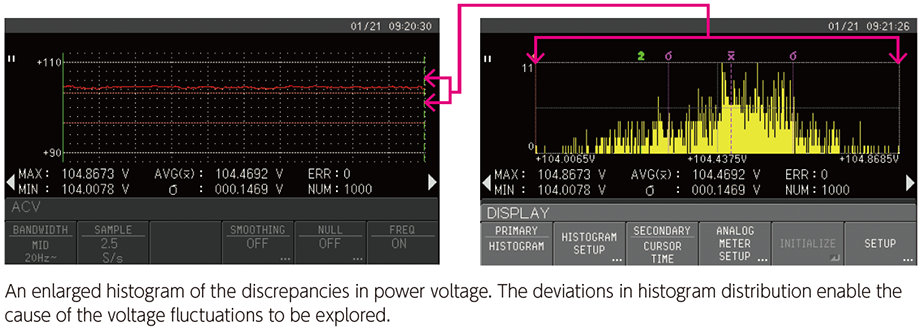
The data captured in the log memory can be displayed in a histogram, and yield can be easily measured by cursor operation. Although it is a function that designed to be analyzed by a PC, it can be judged on the spot, so you can expect a significant improvement in work efficiency.
The frequency of data points inside the cursor range is displayed as a percentage (%) of the total. The horizontal axis serves as a reference for judgment, such as by indicating voltage, so the percentage versus the criterion can be intuitively grasped.
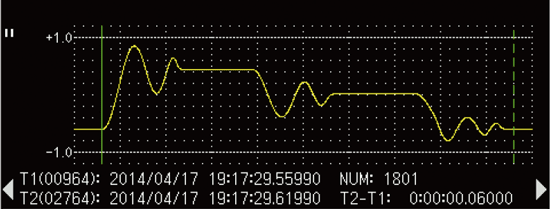
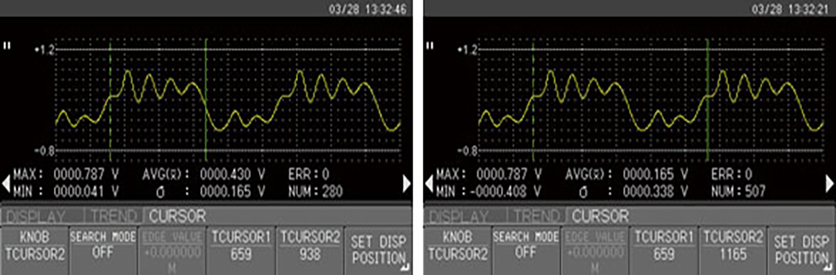
Offline trend chart showing the time change of the measurement.
In addition to displaying like an oscilloscope, statistics can be recalculated depending on the range of the cursor, so that the required range of statistics can be obtained. The screen can be copied to the USB memory device, a useful feature for further improving work efficiency.
Significantly upgraded judgment function
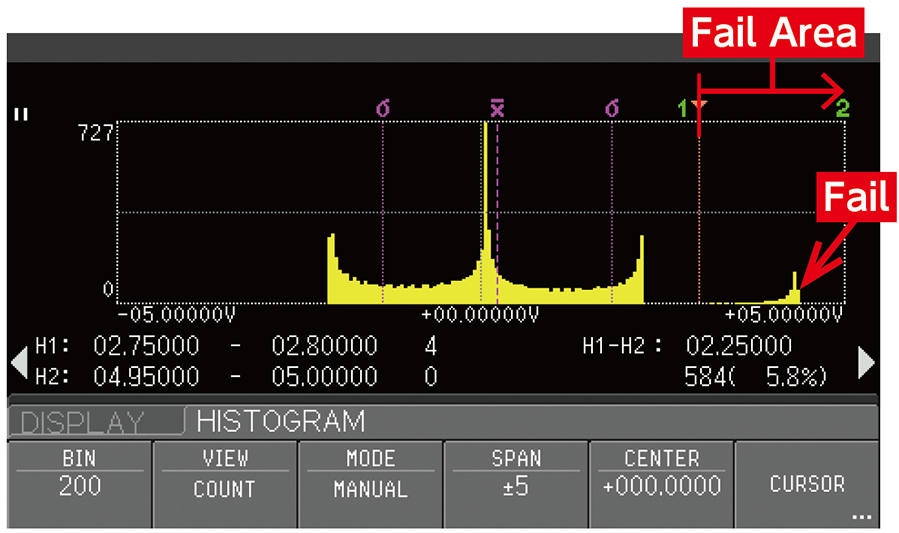
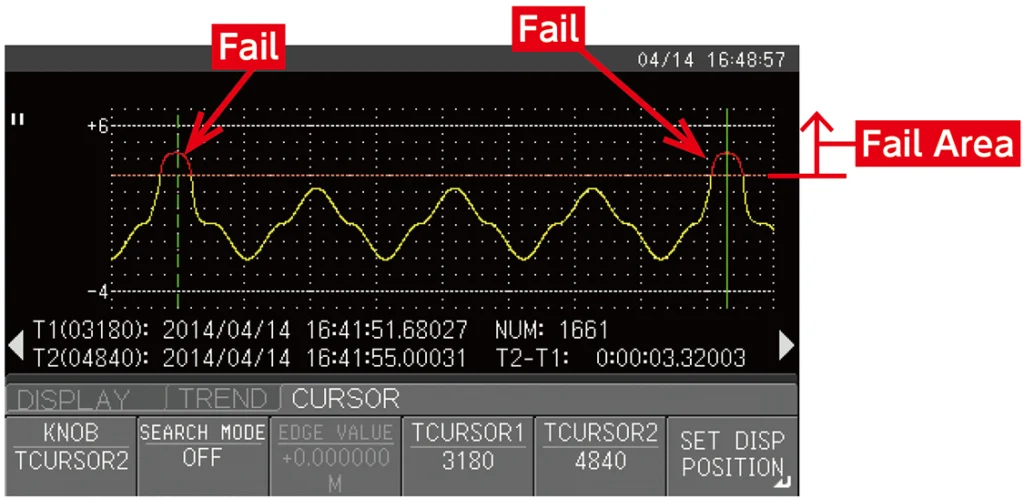
The VOAC7602 can perform advanced analysis based on the results of LIMIT judgment. The feature is that this can be done with easy operation. The device provides a clear answer to the question that most troubles technicians taking measurements: how much failure has occurred and when did it occur?
This is the screen that solves “How much failure has occurred?”
This is the screen that solves “When did the failure occur?”
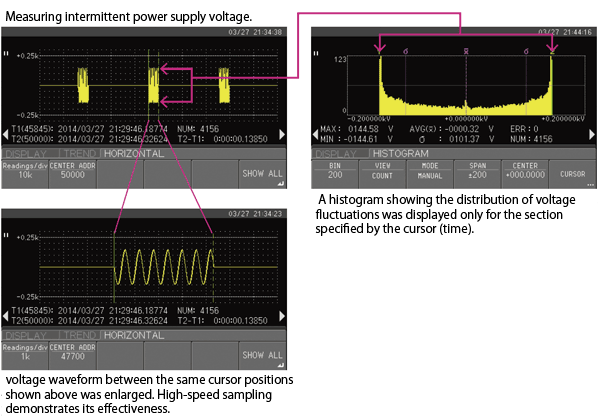
Easy extraction of required parts with offline cursor function
Trigger functions to meet various needs
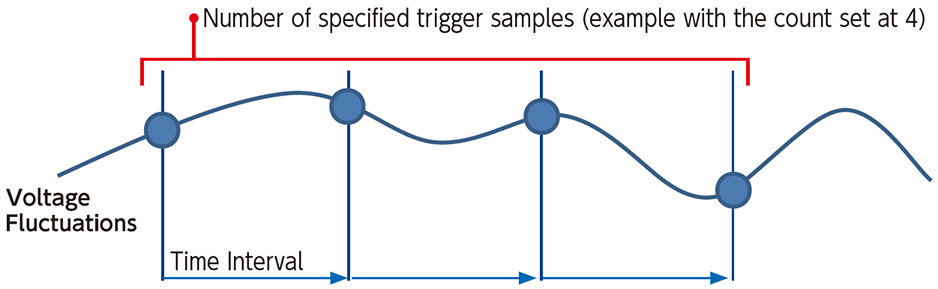
Interval trigger function
The specified number of times is measured at a constant time interval.
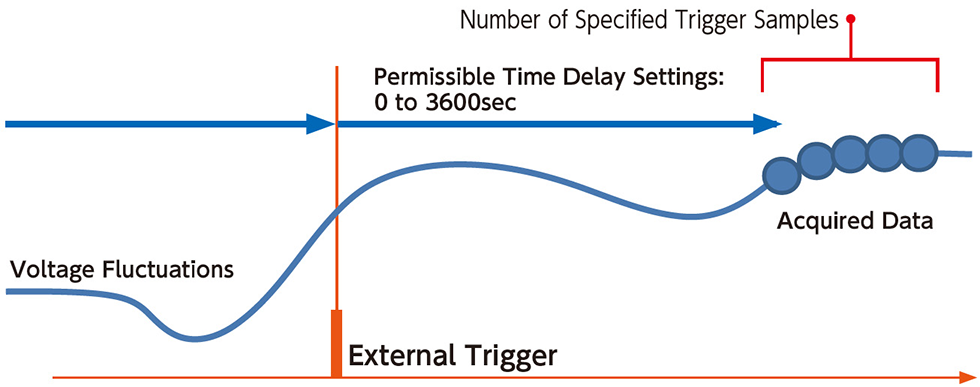
Measurement using the trigger delay function
You can set the delay time from the trigger input to the first data measurement. You can delay the measurement timing of production equipment, etc., and wait for the measurement to stabilize before measuring.
The following performance specifications are based on the conditions and definitions below.Warm-up time: 1 hour, Temperature/Humidity: 23°C ± 5°C, 80% RH or less, 1-year accuracy, Response time: Time required to reach the specified accuracy within each range.
With a resolution of 6 ½ digits, it is the accuracy of the 4-terminal resistance measurement or the 2-terminal resistance measurement after zero correction by NULL operation. If the NULL operation is not used, an additional error of 0.2Ω is added to the 2-terminal resistance measurement.
Maximum allowable voltage: Between the Ω-COM terminals: 800Vpeak (continuous), 1100Vpeak (1 minute), between Sense Hi-Lo: 200Vpeak
Terminal open voltage < 17V
Continuity test (CONT), diode
Units: ± (% of reading + % of range)
Item
Measured current
Accuracy
Temperature coefficient
Notes
Continuity test
Approx. 1mA
0.010 + 0.020
0.001 + 0.002
Threshold:1Ω~1000Ω
Diode
Measurement range:0.1mV~1.1999V
Maximum allowable voltage: 800Vpeak (continuous), 1100Vpeak (1 minute)
Temperature measurement (TEMP, TC: thermocouple)
Accuracy and resolution
Units:±(% of reading + Digits)
Thermocouple
Measurement range (°C)
Accuracy
Resolution
Maximum allowable voltage
R
-50~0
0.02+0.70
0.001℃
800Vpeak (continuous) 1100Vpeak (1 minute)
0~+100
0.02+0.50
+100~+1765
0.02+0.30
K(CA)
-200~-100
0.15+0.50
-100~0
0.15+0.35
0~+1370
0.15+0.20
T(CC)
-200~-100
0.15+0.50
-100~0
0.15+0.35
0~+400
0.15+0.20
J(IC)
-200~-100
0.15+0.50
-100~0
0.15+0.35
0~+1200
0.15+0.20
E(CRC)
-200~-100
0.15+0.50
-100~0
0.15+0.35
0~+1000
0.15+0.20
The above accuracy does not include the accuracy of the thermocouple.
The cold contact temperature is entered in the TEMP/SENSOR menu and does not include the error.
At a guaranteed operating temperature of 0°C to 18°C and 28°C to 50°C, ±0.1°C/°C is added (total thermocouple).
Temperatures below -200°C may be displayed as measured values, but accuracy is not guaranteed.
The reference thermoelectric power is calculated according to the broken line approximation according to JIS C 1602-1995.
Temperature measurement (TEMP, RTD: resistance temperature detector)
Measurement range, accuracy and resolution
RTD
Measurement range (°C)
Accuracy
Temperature coefficient
Resolution
Pt100
-200~+850
0.06℃
0.003℃
0.01℃
JPt100
-200~+510
Pt100: Complies with JIS C1604-1997 standard.
JPt100: Complies with JISC1604-1989 standard.
In the 4-conductor type, the accuracy of the measuring cable (or probe) is not included.
Maximum allowable voltage: 800Vpeak (continuous) or 1100Vpeak (1 minute)
Frequency measurement(FREQ)
Accuracy and number of display digits, measurement range
AC coupling, reciprocal method, crest factor < 5
Gate time
Number of digits to display and measurement range
Accuracy (%)
3Hz~5Hz
5Hz~10Hz
10Hz~40Hz
40Hz~300kHz
1s
7 digits:3.000000Hz~300.0000kHz
0.1
0.05
0.03
0.01
100ms
6 digits:3.00000Hz~300.000kHz
10ms
5 digits:3.0000Hz~300.00kHz
1ms
4 digits:3.000Hz~300.0kHz
Maximum allowable voltage: 750Vrms, or 1100Vpeak (continuous), but DC component is ±500V or less
Input range: 3Hz-100kHz: 100mVrms to 750Vrms (However, 100kHz to 300kHz is up to 2.2×10 7 [V · Hz])
Inputs above 200Vrms are guaranteed up to 100kHz.
Sampling rate and resolution
DC system (DCV, DCI, 2WΩ, 4WΩ)
Sampling Rate (S/s) *1
Display digits
Notes
Power supply frequency:50Hz
Power supply frequency:60Hz
2.5(1)~ 50(20)
2.5(1)~ 60(20)
6 ½ digits
AUTOZERO ON or 4WΩ is indicated in parentheses
100 ~ 30k
100 ~ 30k
5 ½ digits
Cannot be selected with 4WΩ
*1. The sampling rate is guaranteed only when the MODE of the logging function is capture in BULK mode.
The mode sampling rate is not guaranteed to be stored in memory while the measured data is monitored in real time.
BULK mode
Mode in which measurement data cannot be monitored in real time, but the sampling rate is guaranteed Measurement can be stopped by a STOP EVENT and the number of post-triggers can be set
Data size
NORMAL mode
100k Readings fixed
BULK mode
1k、2k、5k、10k、20k、50k、100k Readings
STOP EVENT (BULK mode only)
EXT TRIG, LEVEL, LIMIT judgment is set to EVENT, and measurement can be stopped
Number of post triggers (BULK mode only)
The number of data acquired after the STOP EVENT can be set from 0 to 100% of the data size (setting resolution of 1%)
Primary display
Item
Numerical display
Font: 7-segment, Gothic typeface Size: NORMAL, LARGE can be selected ACV and frequency, NULL and measured values, etc. can be displayed simultaneously (only at NORMAL size)
Trend chart view
Vertical axis: AUTO, FULLSCALE and MANUAL can be selected Offline browse mode: Enlarged waveform scrolling, cursor & search measurement is possible
Histogram chart display
BINumber of bins: 2 to 400, statistical cursor, H cursor measurement is possible Offline browsing mode: Changing the display conditions, such as the number of bins, and re-displaying is possible.
Arc scale meter display
Scale: AUTO, FULLSCALE and MANUAL, LOG can be selected
LIMIT display
LIMITThe LIMIT judgment result is displayed as GO, HIGH, or LOW in large font.
Secondary display
Item
Type
Numerical display, analog meter display, statistical display, LIMIT judgment display can be selected. In the trend chart display and histogram chart display, information display of each chart and cursor measurement display are also possible.
General specifications
Item
Interface
USB2.0 (standard), GPIB (option), LAN & RS-232 (option), DIO interface (option) * USB memory device, etc. can be used.
REMOTE commands
SCPI-compliant or IWATSU VOAC752x Series-compatible (The old SC-303A compatible commands are not supported.)
Rear I/O terminal
TRIG input, COMPLETE output
Setup memory
Internal 10
LCD
4.3 inch color LCD, 480 × 272 dots, TFT active matrix, LED backlight
Preheating time
1 hour after power is turned on
Operation guaranteed temperature and humidity
0°C to 50°C (80% or equivalent moisture content at 40°C or below, no condensation)
Storage temperature and humidity
-20°C to +60°C (90% or equivalent moisture content at 40°C or below, no condensation)
DC ±500V (between common input terminal and earth ground)
Installation (overvoltage) category
Category II (Local level, electrical and portable products)
Contamination level
Contamination level 2* Do not use in an environment where there are conductive pollutants.
External dimensions
Approx. 225Wx100Hx366D mm (excluding protrusions)
Mass
Approx. 3.0kg (including protector and option)
Accessories
Current measurement fuse (3A, 250V) x 2 pieces (separate from main unit storage) 1 set of test leads (red, black), 1 x power cord, 1 x instruction manual (CD), 1 x user’s guide
Manage Consent
To provide the best experiences, we use technologies like cookies to store and/or access device information. Consenting to these technologies will allow us to process data such as browsing behavior or unique IDs on this site. Not consenting or withdrawing consent, may adversely affect certain features and functions.
Functional
Always active
The technical storage or access is strictly necessary for the legitimate purpose of enabling the use of a specific service explicitly requested by the subscriber or user, or for the sole purpose of carrying out the transmission of a communication over an electronic communications network.
Preferences
The technical storage or access is necessary for the legitimate purpose of storing preferences that are not requested by the subscriber or user.
Statistics
The technical storage or access that is used exclusively for statistical purposes.The technical storage or access that is used exclusively for anonymous statistical purposes. Without a subpoena, voluntary compliance on the part of your Internet Service Provider, or additional records from a third party, information stored or retrieved for this purpose alone cannot usually be used to identify you.
Marketing
The technical storage or access is required to create user profiles to send advertising, or to track the user on a website or across several websites for similar marketing purposes.