
Regarding USB communication issues with data loggers in Windows environments (Last Updated: Aug. 14)
hank you very much for your continued use of our products.
We have confirmed that, in some Windows environments, communication via USB connection may not be possible with the USB driver for our measurement instruments. We sincerely apologize for any inconvenience this may cause.
Details
In some Windows environments, communication between the PC and our data logger may not be possible when connected via USB.
If this issue occurs, the following message may be displayed in Device Manager: “Windows cannot verify the digital signature for the drivers required for this device. (Code 52)”
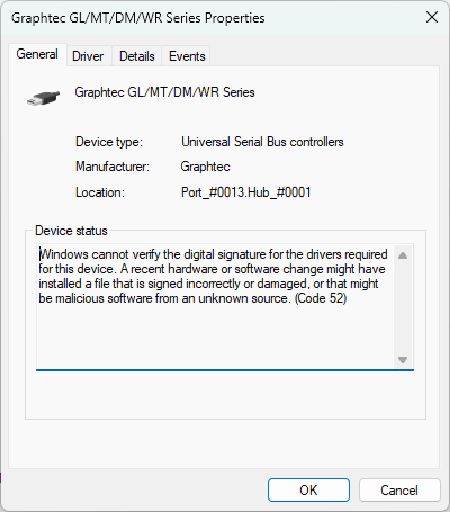
This issue appears to be caused by changes in Windows security specifications, which have resulted in previously used drivers no longer being recognized correctly. Even in environments where the product is currently functioning normally, the same issue may occur after applying Windows Update.
USB Driver Available to Resolve This Issue (Updated: July 31, 2026)
To address this issue, we have released a USB driver that complies with the latest Windows security requirements.
If you are using any of the applicable products, please download the USB driver and the installation instructions below and update your driver to the latest version.
USB_Driver_V2.05_Interim_Update
Applicable product
- GL260
- GL860
- GL980
- GL2000
- GL7000
- GL240
- GL840
- GLT400
- Other measuremant instruments (with USB support)
Thank you for your understanding and cooperation.